
 English
 Español
 Deutsch
 Français
 Português
 Русский
 عربي
عربي Melayu
 Indonesia
 Tiếng Việt
 Filipino


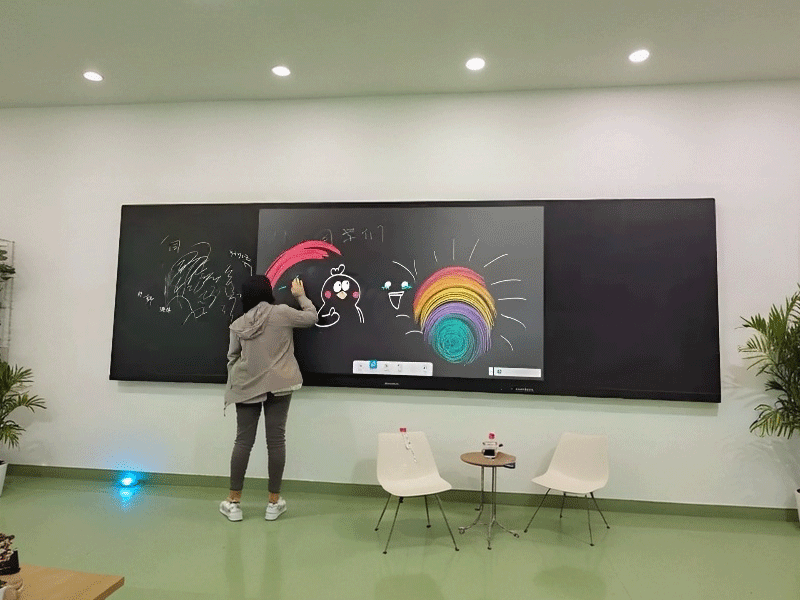
Lcd led digital intelligent 4k touch screen interactive panel whiteboard nano smart classroom blackboard
- Installation: Vertical; Horizontal; Wall-mounted; Portable;
- Screen: Touchscreen;
- Operating System: Android; Windows; Dual system;
- Size: 50''; 55''; 65''; 75''; 85''; 98''; 100''; 110'';
Troubleshooting & Maintenance: Solutions for Touch Failure & System Switching Issues
1. Touch Malfunction Diagnosis
1.1 Basic Checks
Step 1: Verify screen protector compatibility (OEM recommended)
Step 2: Check stylus battery (green LED = normal)
Step 3: Hard reboot (hold power 10s)
1.2 Advanced Diagnostics
Symptom | Possible Cause | Solution |
Dead zones | Capacitive grid damage | 25-point calibration → Replace |
Stylus works/finger fails | Palm rejection enabled | Settings → Touch → Disable "Palm Rejection" |
Intermittent touch | 2.4GHz interference | Switch to 5GHz WiFi |

Component | Lifespan | Replacement Guide |
Stylus tip | 500k clicks | Twist counterclockwise → Snap new tip |
Cooling fan | 3yrs/20k hours | Professional service required |
Battery | 5yrs | Contact authorized service |
Requirement: Active internet connection

Related Products

nano teaching screen-14
Traditional blackboard and intelligent terminal teaching nano-screen

teaching nano blackboard-8
High quality nano digital smart touch screen teaching all in one electronic writing blackboard

teaching nano blackboard-15
4K LCD teaching classroom interactive smart board touch nano blackboard display machine screen

teaching nano blackborad-7
Intelligent classroom touch screen smart nano 75 86 98 inch teaching interactive panel blackboard

teaching nano blackboard-4
School 75 86 inch nano interactive smart teaching interactive touch screen blackboard

teaching nano blackboard-3
85-Inch nano technology interactive smart black electronic touch screen teaching drawing writing board
Get in Touch
For further information, don't hesitate to reach out to us via email.
Please be aware that our responses to your inquiries via email might sometimes end up in your spam folder. If you've sent us an inquiry email but haven't received a reply through phone or Whatsapp, we recommend checking your spam folder. Thank you for your understanding and patience.


